Presentation maker online with AI, from brief to draft
A presentation maker online with AI that turns a few sentences into a first draft — outline, slides and speaker notes — for you to shape. AI requires sign-in and is billed per use; the editor stays free.
- A short deck from a brief
- Speaker notes included
- Paid AI, free editor
- Works with
- .pptx
- .png
- widescreen
- square
- story
- paper
Use cases
A talk due tomorrow
Turn scattered ideas into a structured draft you can correct over coffee.
Speaker notes
Have notes written for every slide of a deck that's already designed.
A second language
Translate a finished deck for partners while the layout stays put.
Which features make an AI presentation maker worth using?
Structure you can edit in place matters more than clever prose: an outline, slide titles, short points and notes arriving as real slides on a theme. Undo for every AI answer, translation and image generation in the same editor, and a standard .pptx at the end make the difference.
Can I use an AI presentation generator for free?
Not entirely, here or elsewhere — generation costs money to run. In Zotu, AI operations are billed to your AI account per use with no subscription, while the editor, the templates and exports are free. Writing your own copy into a template is the no-cost path.
How the online AI presentation maker works
Sign in and open New with AI…
It's under File, and on the home screen as Describe it — AI drafts it.
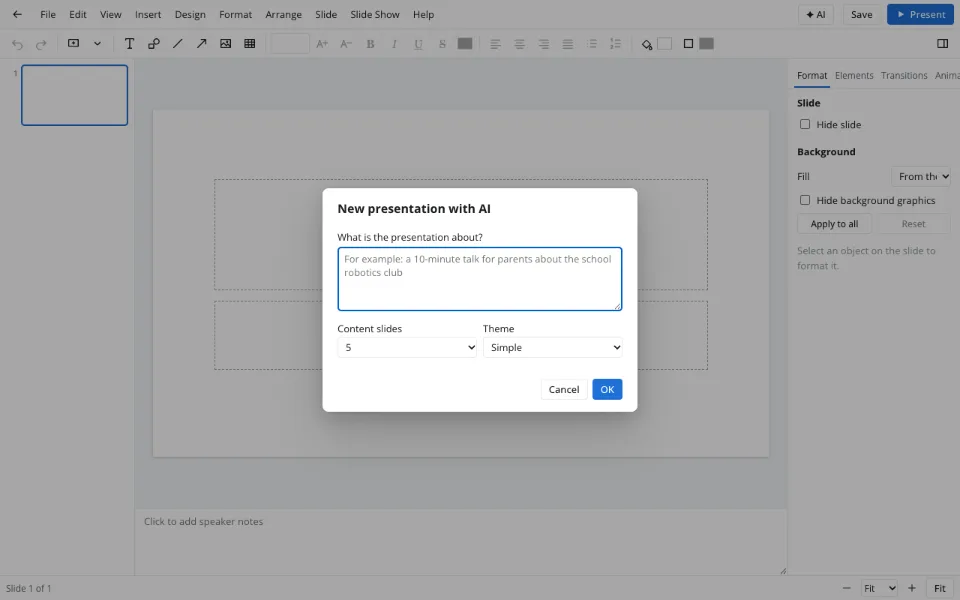
Describe the talk
Audience, goal and the points that must land; then the slide count and a theme.
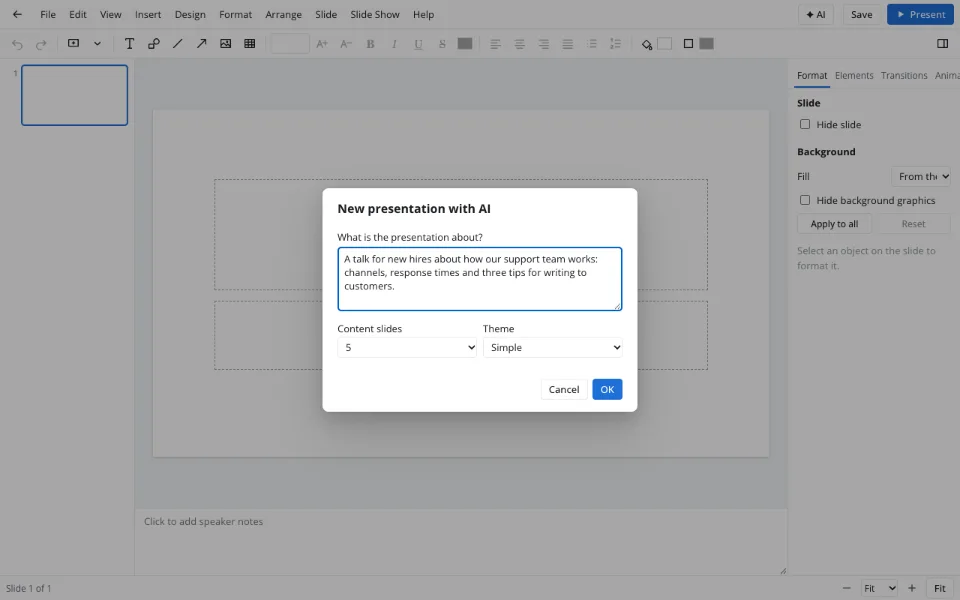
Shape the draft
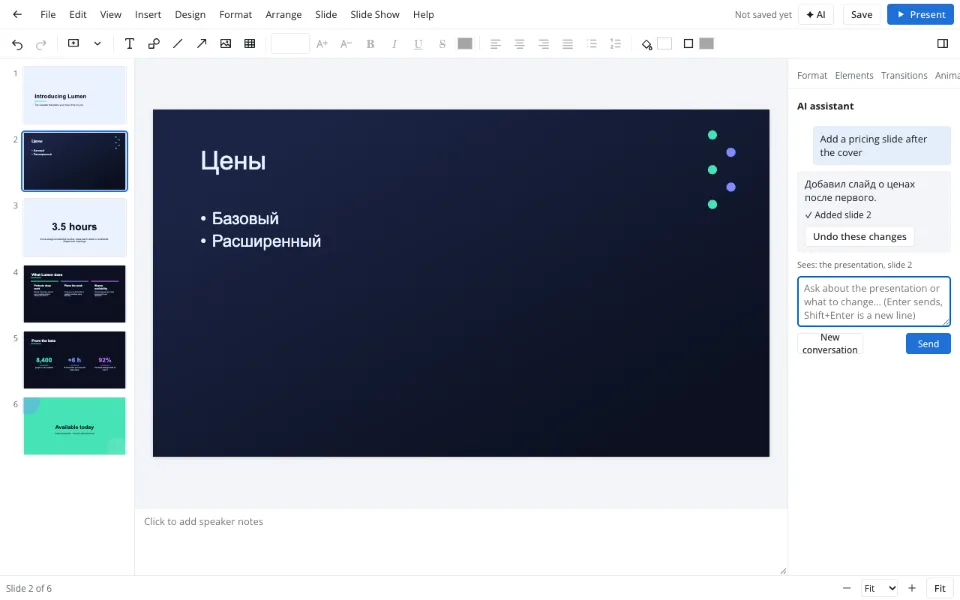
Open the assistant with ✦ AI to rewrite, extend or translate any slide.
Features
| Feature | What it gives you |
|---|---|
| Deck from a brief | Between three and twelve slides with a theme and speaker notes |
| Rewrite tools | Improve, shorten, expand, formalize, simplify, fix grammar |
| Translation | A slide or the whole deck in one of fourteen languages |
| Images | Pictures from a description in landscape, square or portrait |
| Assistant | Questions and edits in plain language, undone in one step |
Privacy
For AI, slide text goes to the AI provider through your Zotu account — the features don't run signed out. Slide text is treated as data, never as instructions, so a file someone sends you can't steer the assistant. Saved decks are handled under GDPR.
FAQ
Support: [email protected]
How do I use an AI presentation maker?
Sign in to Zotu, connect AI in settings and choose File → New with AI…. Describe your talk in a few sentences, pick the number of slides and a theme, and a draft appears in about a minute. Edit it by hand or ask the assistant on the AI tab to rework slides.
What are AI slides?
AI slides are presentation slides drafted by a language model from a description: titles, short points and speaker notes on a design theme. Treat them as a starting point — check the facts, add your own figures and pictures, and shape the story for the people you'll be talking to.
How do I generate AI slides from a topic?
Write a brief naming the audience, the goal and the three to five points that must land, then run New with AI…. Specific instructions like 'for new hires' or 'no jargon' bring the draft closer. Ask the assistant to continue the deck when you need more slides.
What are slide notes?
Slide notes, or speaker notes, are the text under each slide that only the presenter sees — reminders, numbers and the story behind the bullets. AI can write them for every slide, and in Presenter view they sit beside the next slide and a timer while the audience sees only slides.
Which app is best for making a presentation?
The one that fits how you work: for most people that means opening the files they already have, quick templates, easy export and a dependable slideshow. Zotu offers that in the browser with a free editor, optional pay-per-use AI and .pptx in and out.
Can AI make videos or charts from my data?
No video generation is offered — AI drafts text, speaker notes and images. Charts come from the regular Insert → Chart… command, where you type or paste your figures into the data sheet. Always double-check dates and statistics in anything AI writes.
Is it free? Is there a watermark?
The editor, templates and downloads are free and never watermarked, in the slideshow or in exported files. AI is the paid part: drafting, rewriting, translating, notes and images are billed to your AI account per use, with no subscription for the editor.
Is it safe to upload documents?
For AI, slide text is sent to the AI provider through your account, so keep personal data and trade secrets out of your brief. Decks saved to the Zotu cloud are stored for your account only under GDPR, and hidden instructions in files are ignored.
More tools
Templates & backgrounds
Backgrounds and designed decks for reports, pitches and posts.
Pitch deck template
Six slides that frame an investor conversation.
School presentation
Templates, ideas and an outline for class decks.
PPTX viewer
Read and fix a deck from an email on any computer.
PPT to PDF
A read-only handout anyone can open.
Slideshow maker
Photo loops and deck presenting without software.
Presentation animation
Transitions between slides and effects on objects.
Presentation maker online with AI, from brief to draft
A first draft with speaker notes from a short brief.
Open the editor