Presentation animation and slide transitions, online
Presentation animation lets you reveal an idea one step at a time. The App launch template is open below: select a title, open Animations, click Add animation and watch the preview.
- Entrance, emphasis, exit
- Slide transitions
- Saved to .pptx
- Works with
- .pptx
- .png
- widescreen
- square
- story
- paper
Use cases
Bring a talk to life
Reveal each point as you reach it, so the room listens instead of reading ahead.
Lobby screens
Timed transitions that keep a kiosk deck moving.
Classrooms
Answers that appear one click at a time on a school presentation.
How do slide transitions work?
Pick an effect on the Transitions tab, set direction and duration, and use Apply to all for consistency; the same tab can advance slides on a timer for a kiosk slideshow. Morph is saved with its object, word and character options for other apps, while our own slideshow plays it as a soft cross-fade.
What are good animated presentation examples?
- Bullets appearing By paragraph as you talk
- A chart fading in once you've posed its question
- A product photo zooming in on the cover and a contact slide bouncing in at the end
Do I need a separate presentation animation maker?
No — effects live in the same editor as your slides, with a live preview, a Preview button for the whole slide and Animation painter to copy a setup. Anything you build is written into the .pptx and plays in desktop presentation apps too.
How presentation animation works here
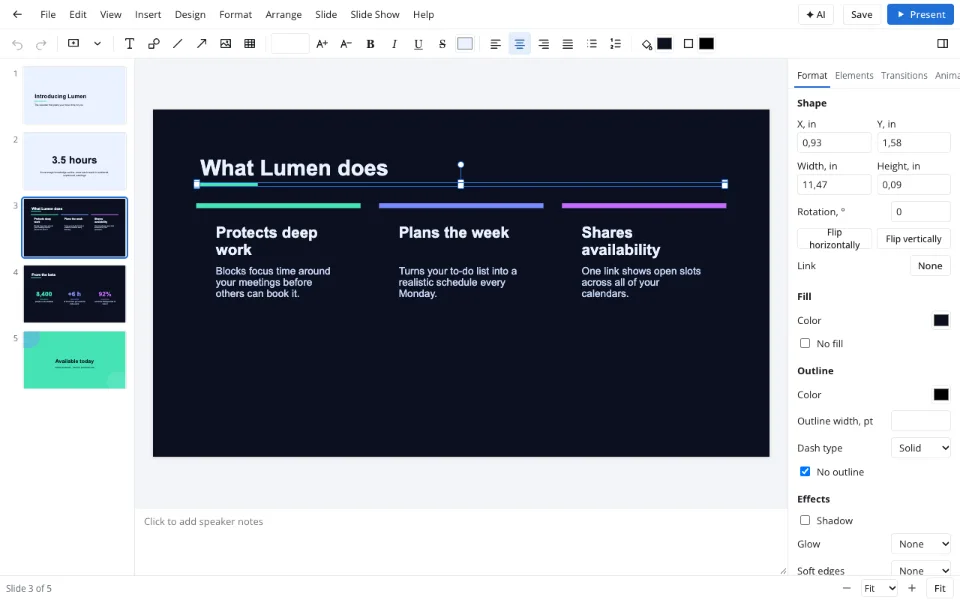
Select what should move
A title, picture, chart or shape — or several at once.
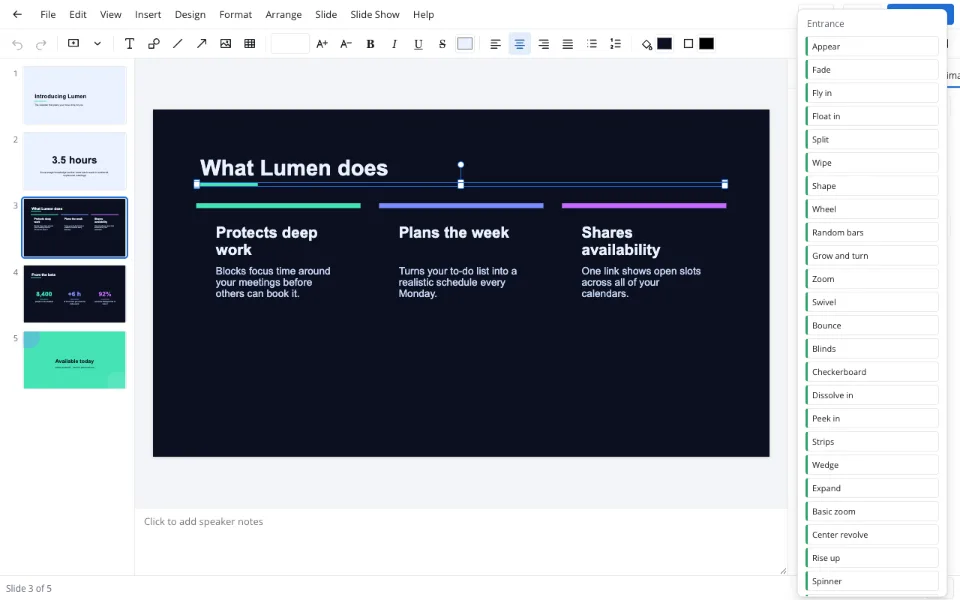
Choose an effect
Animations → Add animation, then Entrance, Emphasis or Exit.
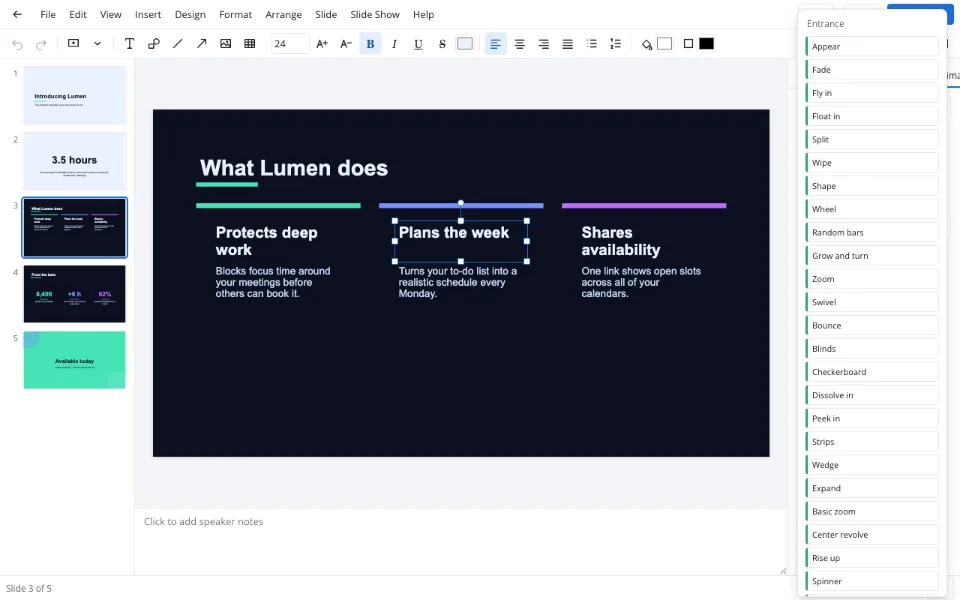
Time it
Move earlier or later, and Start On click, With previous or After previous.
Features
| Feature | What it gives you |
|---|---|
| Effect groups | Entrance, emphasis and exit, each with options |
| Timing | Duration and delay in seconds, On click or automatic |
| Text builds | By paragraph or as one object |
| Animation painter | One setup copied to other objects |
Privacy
Your deck is edited in the browser and saved on your device; the Zotu cloud is optional, needs sign-in and is handled under GDPR.
FAQ
Support: [email protected]
What is animation in a presentation?
Animation is motion applied to objects on a slide — a title fading in, a chart appearing on a click, a photo zooming out at the end. Used sparingly, it steers what the audience looks at and when. The Animations tab groups effects into Entrance, Emphasis and Exit.
What are slide transitions?
Transitions are the effects between one slide and the next — a fade, a push, a turning cube. You set them per slide on the Transitions tab with direction and duration, and Apply to all uses one across the deck; the same tab can advance slides automatically.
How do I create an animated presentation?
Select an object, open Animations and click Add animation, then pick an effect — it previews on the slide. Set Start to On click, With previous or After previous, adjust duration and delay, and press Preview to replay every effect on that slide.
Will my animations play in desktop presentation apps?
Yes. Animations and transitions are written into the .pptx and play in other presentation apps. Effects from other people's files that the editor doesn't know are listed as effects from the file and saved untouched, so nothing breaks on the way back.
What isn't supported?
Motion paths aren't available, and charts animate as a whole rather than series by series. Morph is stored correctly in the file but plays as a cross-fade in our slideshow. Everything else — entrance, emphasis, exit, timing and text builds — works in the browser.
Is it free? Is there a watermark?
Every transition and animation effect is free, needs no sign-up and adds no watermark to the slideshow or the saved file. Only AI operations are paid in Zotu. Animated decks play in any browser, and downloaded files can be shared freely.
Is it safe to upload documents?
Nothing is uploaded to animate a deck — it opens and is edited in your browser. It reaches the Zotu cloud only if you sign in and save, under GDPR. That makes it fine for animating confidential work decks too.
More tools
Slideshow maker
Photo loops and deck presenting without software.
Templates & backgrounds
Backgrounds and designed decks for reports, pitches and posts.
PPTX viewer
Read and fix a deck from an email on any computer.
School presentation
Templates, ideas and an outline for class decks.
AI presentation maker
A first draft with speaker notes from a short brief.
PPT to PDF
A read-only handout anyone can open.
Pitch deck template
Six slides that frame an investor conversation.
Presentation animation and slide transitions, online
Transitions between slides and effects on objects.
Open the editor