PPTX viewer: open and edit a presentation online
A PPTX viewer for the moment a deck lands in your inbox on a computer with no presentation software. Drop the .pptx below to read it, run the slideshow or make a quick edit.
- Runs in the browser
- Your file stays on your device
- Save back to .pptx
- Works with
- .pptx
- .png
- widescreen
- square
- story
- paper
Use cases
A deck in your inbox
Read a client's or recruiter's slides on a work laptop that has no presentation app installed.
A last-minute fix
Correct a date or a typo before a review, then send the corrected file back.
Presenting someone else's slides
Read their speaker notes and run the show from the same tab.
Can I edit a presentation online for free?
Yes: click Edit the presentation and change text, swap pictures with a double-click or drag thumbnails to reorder slides, then download the result at no cost. The deck's own layouts appear under New slide, so anything you add matches the rest.
How do I open a .pptx file online?
Pick it with Choose a .pptx file or drop it into the window, and it opens in a second or two. Themes, fonts, tables, charts, notes, video, audio and animations come through, because the viewer reads the file directly instead of converting it.
Is there a PPTX viewer for Android phones?
This page is one: open it in your phone's browser, pick the file from Downloads or an attachment and swipe through. Present works full screen on a phone as well, and nothing needs to be installed from an app store.
What makes a good PPTX viewer?
Faithful rendering, notes visible next to the slide, a real slideshow mode and the option to edit and save without changing tools. Privacy matters too — here the file is read in your browser rather than sent off to a server.
How the PPTX viewer works
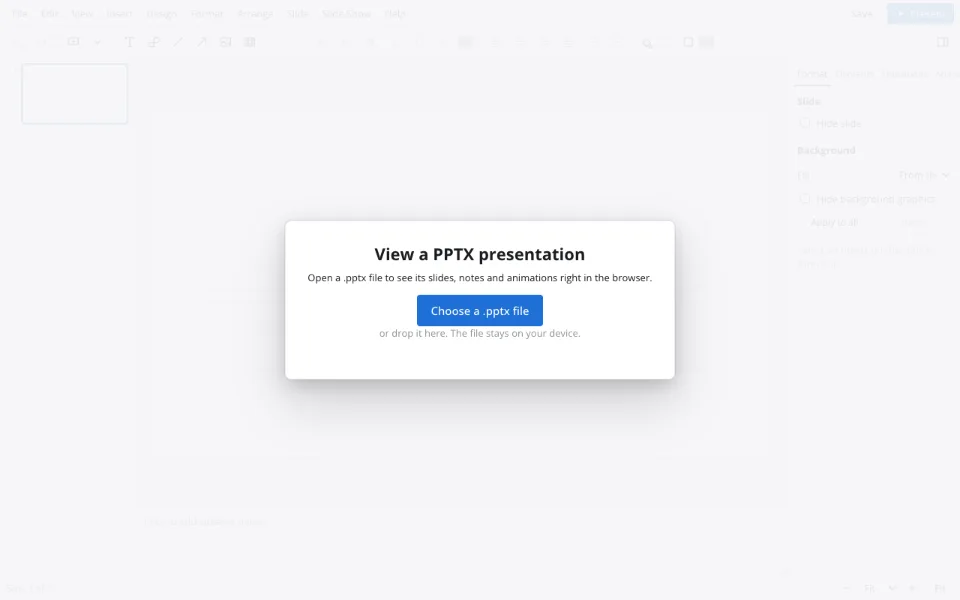
Drop in the file
Choose a .pptx file, or drag it in from Downloads, an attachment or a USB stick.
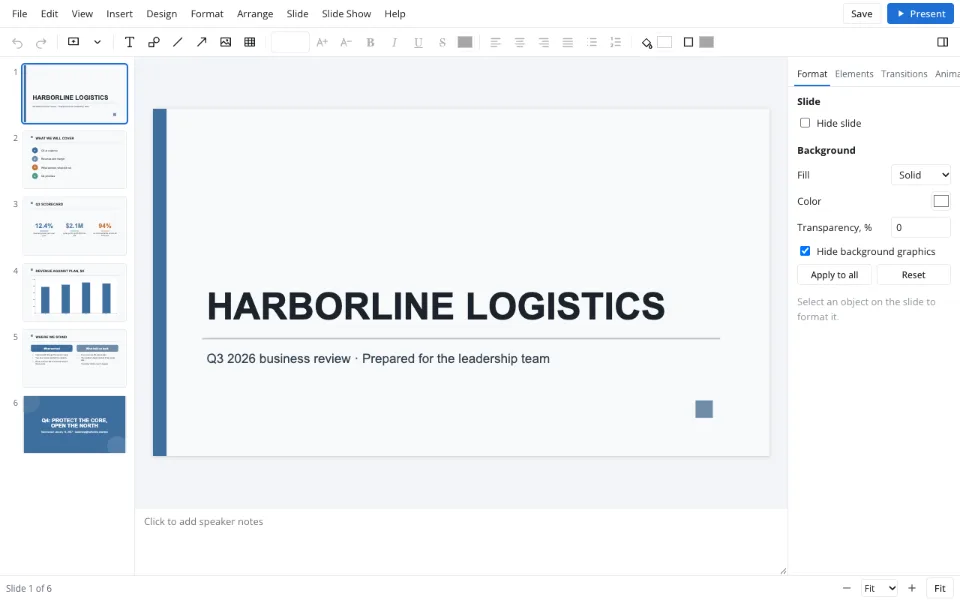
Read or present
Slides on the left, notes under the slide; Present runs the show full screen.
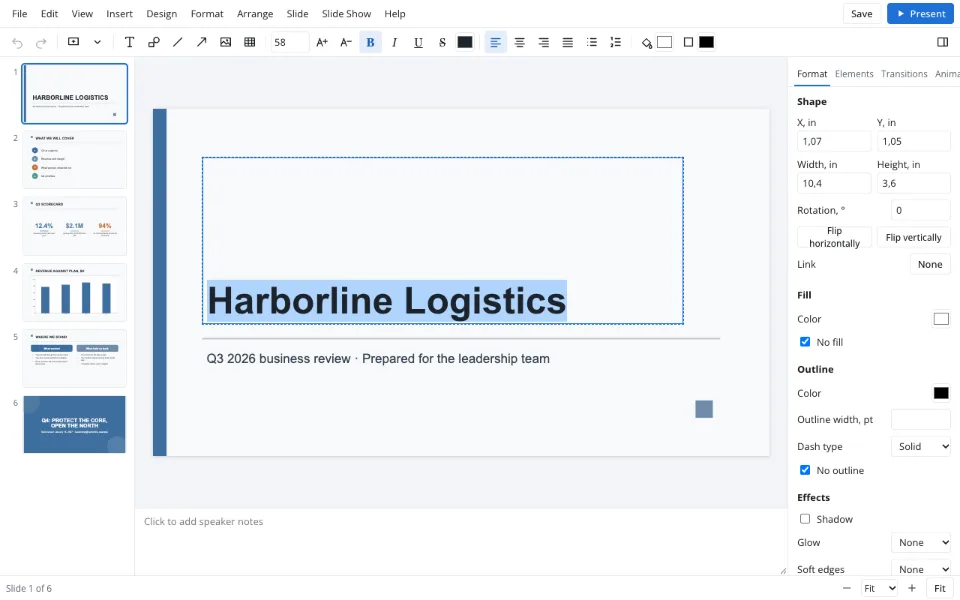
Fix and save
Edit the presentation, then Download .pptx for the corrected copy.
Features
| Feature | What it gives you |
|---|---|
| Direct reading | Slides look the way their author designed them |
| Notes pane | Speaker notes under every slide |
| Editing | Text, pictures and slide order, saved back to .pptx |
| Layouts | New slides use the deck's own layouts |
Privacy
The file is processed in your browser and isn't uploaded to Zotu; nothing remains once you close the tab. Cloud storage is optional, needs sign-in and is handled under GDPR.
FAQ
Support: [email protected]
How do I open a .pptx file in the browser?
Click Choose a .pptx file on this page or drag the file into the window; the presentation opens in a second or two. It works on laptops, tablets and phones with no installation. From there you can read the slides, present them or edit and download a corrected copy.
What is a .pptx file and how do I open it?
A .pptx file is the standard package for office presentations: slides, layouts, pictures, notes and animations in one file. Open it here in any browser, or in any desktop presentation app. Older .ppt files have to be re-saved as .pptx before they'll open.
Can I edit the master slide online?
The deck's master and layouts are applied as you work — new slides pick the deck's own layouts from New slide, and theme colors and fonts can be changed under Design. A dedicated master-slide editing view isn't available yet; edit individual slides instead.
Why won't my file open?
Legacy .ppt files, password-protected decks and files over forty megabytes or three hundred slides won't open. Re-save a .ppt as .pptx, ask the sender for an unlocked copy, or compress the pictures in the original app. Rare effects from other apps are shown approximately but saved intact.
Can I download the edited file from this page?
Yes. After editing, Download .pptx saves the new version straight to your device, ready to email or upload. When the recipient doesn't need to edit it, turn the deck into a PDF on the PPT to PDF page instead. No sign-in is needed for that.
Is it free? Is there a watermark?
Reading, editing and downloading .pptx files here is free and needs no account, and the saved file carries no watermark, logo or added text. AI operations are the only paid feature in Zotu, and you don't need them to work with files.
Is it safe to upload documents?
Nothing is uploaded here: the deck opens in your browser and stays on your device, which suits confidential slides. It only reaches the Zotu cloud if you sign in and choose to save it there, and cloud data is handled under GDPR.
More tools
PPT to PDF
A read-only handout anyone can open.
Slideshow maker
Photo loops and deck presenting without software.
Templates & backgrounds
Backgrounds and designed decks for reports, pitches and posts.
Presentation animation
Transitions between slides and effects on objects.
AI presentation maker
A first draft with speaker notes from a short brief.
School presentation
Templates, ideas and an outline for class decks.
Pitch deck template
Six slides that frame an investor conversation.
PPTX viewer: open and edit a presentation online
Read and fix a deck from an email on any computer.
Open the editor