Pitch deck template and online pitch deck maker
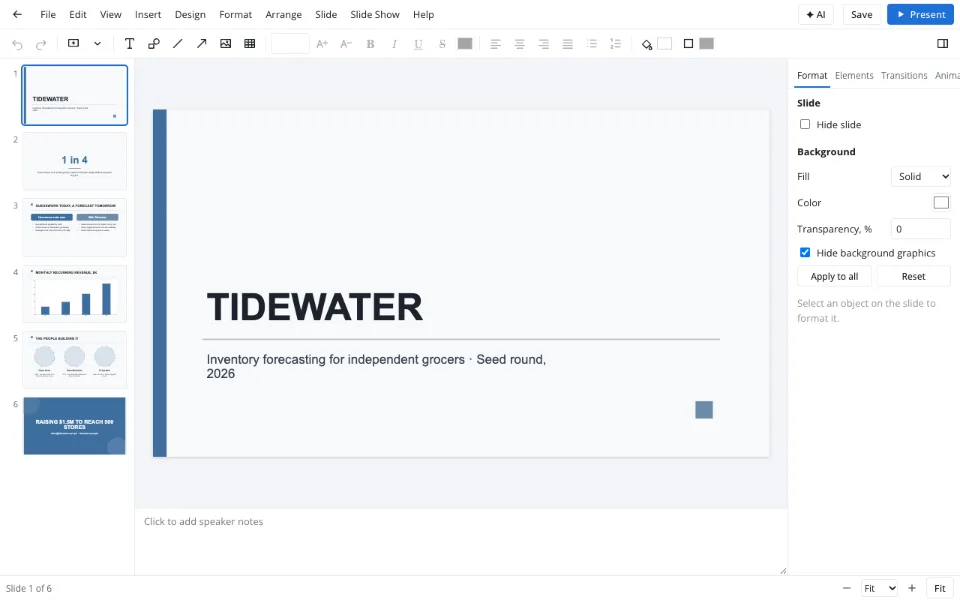
This pitch deck template is already open below: cover, the problem in one figure, before and after, a revenue chart, the team and the ask. Six slides every investor or accelerator conversation starts with — ready for your story.
- Runs in the browser
- Traction chart, team, the ask
- Your colors and logo
- Works with
- .pptx
- .png
- widescreen
- square
- story
- paper
Use cases
Investor meeting
A tight story for a first call or a partner meeting.
Accelerator application
A deck that answers the usual questions before they're asked.
Demo day
Fewer words, bigger visuals and a confident closing ask.
Can I use this as a pitch deck maker, not just a template?
Yes — behind the template is a full editor: charts with a data sheet for growth and market size, icons and photo frames for team slides, the brand kit for colors, fonts and logo on every slide, and Presenter view for rehearsal. Download .pptx for investors who edit, or a PDF for those who read.
Is there a pitch deck template generator with AI?
With AI connected, the assistant can draft speaker notes, turn topic titles into takeaways or trim a crowded slide; the AI presentation maker explains the rest. Without AI, the template's sample copy already shows the right length and tone for each slide.
How do I adapt it into a pitch deck template for film?
Swap the market slides for logline, synopsis, comparable titles, team and budget, put stills in photo frames and pick a dark palette. Keep the closing ask: what you're raising and what it buys, from development to distribution.
How do I turn it into a pitch deck template for real estate?
Lead with the property and a location slide, follow with financials and expected returns on big-number slides, and close with timeline and terms. Photos of the site in frames and a calm, light palette work well for this audience.
How to use the pitch deck template
Start from Seed round pitch
In File → Template library…, Business. App launch under Marketing suits product stories.
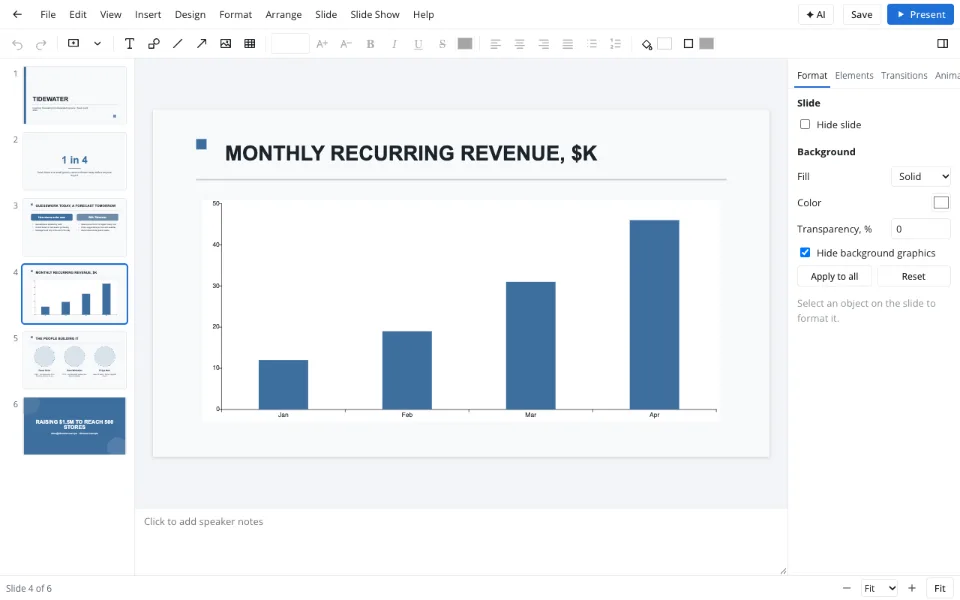
Put in your numbers
Your problem figure up front, four months of revenue in the chart's data sheet.
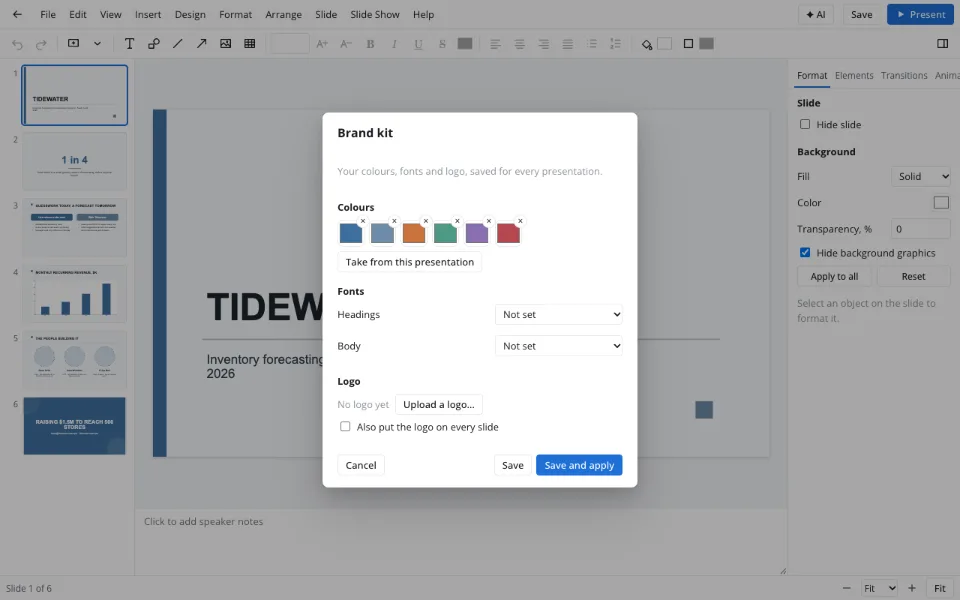
Brand it, rehearse it
Design → Brand kit… adds colors and logo; Presenter view brings notes and a timer.
Features
| Feature | What it gives you |
|---|---|
| Seed round pitch template | Cover, problem figure, before and after, traction chart, team, the ask |
| Brand kit | Colors, fonts and a logo on every slide at once |
| Charts | Growth and market charts from your own figures |
| Presenter view | Speaker notes, next slide and a timer for rehearsal |
Privacy
Your deck is edited in the browser and downloads to your device; it reaches the Zotu cloud only after you sign in and save, under GDPR.
FAQ
Support: [email protected]
What is a pitch deck template?
A pitch deck template is a ready-made presentation with the slides an investor pitch needs — problem, solution, market, traction, team and ask — already designed. You replace the sample content with your company's story and numbers instead of starting from a blank slide and fussing over layout.
How do you make a pitch deck?
Start from the template, write one takeaway per slide and support each with a number or a picture. Keep it to ten to twelve slides with details in an appendix, close with a clear ask, apply your brand kit, and rehearse in Presenter view with the timer.
How do I make a good pitch deck?
Lead with the customer's problem in one memorable line and a real number, show traction early, and prefer big figures and simple charts to dense tables. Consistent branding makes it look professional; a specific, confident ask on the last slide makes it memorable.
How do I change a slide deck's template?
Use Design → Themes or Variants to restyle every slide at once, or apply your brand kit to bring in your colors and fonts. To borrow designed slides from another template of the same size, open it in the library and choose Add slides to this presentation.
How do I create my own slide deck template?
Save colors, fonts and logo in Design → Brand kit…, build a cover, a section slide, a content slide and a closing slide, and save the file. Reopen it and make a copy for each new pitch, so every deck starts on-brand without redoing the design.
Does the template include investor advice?
No — it gives you structure and design, not financial or investment advice. Market figures, valuation and financial models are yours to prepare and verify. Files can be up to forty megabytes, so charts and team photos fit comfortably. Always have an advisor review the numbers.
Is it free? Is there a watermark?
Yes. Open the template, fill in your company and download a .pptx or save a PDF — no watermark and no account required. AI help with the copy is optional and paid; the template and editor are free on their own.
Is it safe to upload documents?
Your numbers and plans stay on your device: the template opens in your browser and the deck downloads locally. It reaches the Zotu cloud only if you sign in and save, under GDPR. Nobody at Zotu sees your figures unless you share the file.
More tools
Templates & backgrounds
Backgrounds and designed decks for reports, pitches and posts.
AI presentation maker
A first draft with speaker notes from a short brief.
PPT to PDF
A read-only handout anyone can open.
Slideshow maker
Photo loops and deck presenting without software.
PPTX viewer
Read and fix a deck from an email on any computer.
School presentation
Templates, ideas and an outline for class decks.
Presentation animation
Transitions between slides and effects on objects.
Pitch deck template and online pitch deck maker
Six slides that frame an investor conversation.
Open the editor